Want to create a website but don’t know where to start? In this article, we will explore website creation step by step, from the initial design to going live. This detailed guide is well worth your time, because it will help you understand how to successfully carry out the creation of a website that reflects who you are, whether you want to create a free website or build an ultra-high-performing professional website. You will also discover how to optimise your online presence by ranking properly on search engines, along with practical techniques to build a site that can attract and retain your visitors.
For personalised support, you can look at our website creation services at AR Digital. Also take a look at our blog to stay up to date with the latest digital marketing trends.
1) Why and how to create a website today?
In today’s digital world, creating a website is essential for any person or business that wants to grow its online presence. Every site plays a key role: it can be a personal blog, a place to sell your products online, or a professional portfolio. Search engines are now the number one acquisition channel for attracting new visitors. When you decide to build a site, you gain access to almost unlimited potential to promote your business and your image.
Of course, the creation of a website can seem complicated. Yet it is easy to create a quality platform if you follow the right steps. Whether you are planning to create a business website or a professional website, all you need to do is define your goals clearly. You can choose an intuitive website creation tool, or turn to a specialist agency. In any case, when you create a site, keep in mind that the priority is to offer a smooth user experience.
For information on digital trends in France, you can consult Journal du Net (in French).
2) What is the best website creation method for beginners?
Before starting the creation of your site, it is important to know the different options open to you. Your choice will depend in particular on the type of website you want to develop, your budget and your technical skills. Here are some common approaches:
Use a platform or a website builder: This method is particularly suited to beginners, because it lets you create a site quickly without needing to code. A website builder often includes a drag-and-drop editor, website templates and built-in web hosting. It is ideal for a blog, a website without major complexity or a small e-commerce shop.
You can also turn to AR Digital to support you with the creation of a custom site, whether it is a simple blog or a complete online shop. And if you are wondering about costs, take a look at how much it costs to build an e-commerce website.

Use an open source CMS: Solutions such as WordPress (in French) or Joomla are popular all over the world. They offer more freedom and more room for customisation. This option generally takes a little more time and technical knowledge, but it will give you greater control over the design of your site. You will be able to create your own theme, add plugins, optimise SEO and much more.
3) How to create a website that grabs attention?
The question “how do I create a website that stands out?” comes up often among those starting out on the creation of a website. The key element is the design of your site, combined with the overall usability of your platform. From the very start of the creation, set yourself the goal of offering smooth navigation and fast loading times. Also focus on visual consistency: your colours, your font and your visuals must reflect the identity of your brand or your project.
Another essential point: writing quality content. Indeed, by building a site with informative, well-structured text, you will meet your visitors’ expectations while improving your search ranking. In addition, to showcase your articles or your products, remember to include relevant meta tags and to optimise your titles. A clear, well-documented website is more likely to please visitors and the algorithms of search engines. To discover practical tips to boost your visibility, see these 10 tips to get more visits.
4) Creating your site: where to start to build a website easily?
To create a website easily, you must first define the type of site you need. Is it a shop to sell your products online? A blog to publish your articles? A business website to present your services? This first step will let you work out which features of your site will be indispensable: online payment, a booking tool, a contact form, and so on.
Once this vision is clear, go for the best creation tool for your needs. There are user-friendly platforms that guide you step by step, which makes the task much simpler. Then make sure you publish your site by checking its mobile compatibility and carefully testing every page of your site. A simple website, well structured and free of technical errors, will hold visitors’ attention better and encourage them to come back. To succeed with your overall strategy, you can also read Building an effective digital strategy in 8 steps (in French).
5) How to succeed at website creation for your projects?
Successful website creation rests on several pillars: the choice of domain name, web hosting, design, content quality and SEO strategy. First, opt for a domain name that is easy to remember. Then, take advantage of high-performing web hosting to guarantee your visitors fast, stable access to your site.
As for design, favour a user-friendly, consistent interface. Also remember to add extensions or plugins that let you track your performance or integrate social media on your site. Finally, the creation of pages must be designed for the user’s comfort: offer clear sections, a well-structured menu and quick access to key information. That way, you will be able to get an attractive, high-performing site. To go further with optimisation, take a look at these 10 best optimisation tools.
6) How to create a website easily for your online shop?
Wondering how to create a website to launch an online shop? First, decide which products or services you will offer. Think about the layout of your catalogue and the payment process. Fortunately, it is possible to create an online shop without being a web expert. Many dedicated solutions help you manage stock, transactions and order dispatch.

When you are working on the creation of your online shop website, take care over your product pages, with detailed descriptions and quality visuals. Then, remember to optimise your site so that it shows up in search engines through relevant keywords and information-rich text. In addition, make sure your interface is intuitive to reassure your potential customers and make their purchases easier. On that note, if you are launching an ambitious project, the article How to create a start-up website (in French) will also be very useful.
Your new website
could start tomorrow! Contact us to find out about our process
7) What are the benefits of website creation for your business?
Website creation brings a multitude of benefits. It lets you widen your audience, increase your credibility and build a direct link with your customers. In addition, a site gives you the opportunity to present your products or services in detail, to highlight your values and to share your news.
Moreover, a site that is accessible 24 hours a day lets you stay in constant contact with your visitors, collect reviews and keep your customers loyal. It is also a formidable tool for standing out from the competition. With a suitable marketing approach and a good content strategy, you can quickly boost your sales or your reputation. In the end, website creation remains one of the best investments for building a lasting, profitable business. To find out more about whether it is worth investing, read is it worth investing in website creation.
8) Websites in 2024: which search engines should you target?
All websites aim to be visible on the major search engines, and in particular Google. Bing or Yahoo, although less used, remain relevant. In addition, depending on the type of website you run, you might optimise your presence on YouTube or Pinterest. To perform well, the key is to work on search engine optimisation (SEO): loading speed, meta tags, internal links and relevant keywords.
Finally, don’t neglect social signals or mobile compatibility. A responsive site, that is, one that adapts to all screen sizes, often ranks better. Once your site is live, regularly monitor your statistics and your visitors’ behaviour to adjust your content, and so guarantee a quality website. Also think about these tips that improve your visibility over the long term.
9) How can a website builder boost your project?
A website builder can be an online platform or a specialist service provider. In both cases, you benefit from expertise in designing and building sites, whether it is a business site, an online magazine or an online shop. This help will save you precious time, especially if you do not master programming languages or server management.
The major advantage lies in the simplicity of the process: in a few steps, you will be able to create your own site, define the look of your pages and publish your website quickly. In addition, most creation platforms include tools to personalise your content, add a form or include more advanced features. That way, you no longer have to worry about the technical details, and you can focus on your overall strategy. To boost your traffic afterwards, you could for example avoid certain mistakes depending on your sector.
10) How to build a site optimised for the free web?
Many free web solutions exist to help the smallest budgets get started. These free plans often include a subdomain, such as “mysite.platform.com”, and limited storage space. They are nonetheless an excellent option for testing an idea or learning free website creation. In time, you can move to a paid plan if you want more features or a custom domain name.
However, keep in mind that the free service may display imposed ads, and that it offers less freedom to customise your site. If you want to quickly bring your site to life and test it, this approach remains interesting. What matters is to take the plunge, check that your project fits the market, and make improvements regularly.
11) Bonus: How to create a free website and what are the strengths of a site with no limits?
To create a free website, nothing could be simpler: sign up to a creation platform that offers a free site, choose a ready-made template, personalise a few elements and you’re done. Of course, this solution has limits, such as the lack of a custom domain name or advanced features. However, it is enough for those who want to validate a concept or build a website for free and without any initial hassle.
On the other hand, a site with no limits (often paid) will let you install any plugins or integrations you want. You will be in control of the layout, the structure, SEO optimisation and traffic management. That way, you can choose exactly the type of site (blog, e-commerce, portfolio…) that suits you, without holding back your ambitions. It is the royal road for anyone who wants to develop a professional site or a large-scale project.
12) Which types of website are the most popular?
There are several types of website suited to different goals. Here are a few examples:
1. The blog: Perfect for creating a blog focused on sharing articles, experiences or opinions. 2. The online shop: Indispensable for those who want to create an online shop and sell your products online. 3. The business website: Lets you present services or a portfolio. Ideal for showcasing your work and gaining credibility. 4. The community site or forum: Aims to bring an audience together around a shared theme.
Before the creation of a website, clarify your expectations and your needs. You will then be better able to define the overall structure, the layout, and the design of your website. This preparation will save you time and guarantee a more consistent end result. For more ideas on producing content, discover 10 ways to find content ideas.
13) How to create a professional site in a few steps?
To create a professional site, start by choosing a domain name that matches your brand. Then select a reliable host and install a CMS if you opt for that approach. Once the technical phase is over, turn to the visual side. The design of your website must reflect the seriousness and the philosophy of your business.
Focus on readability and simplicity. Prepare your content in advance: text, images, videos. Make sure you use clear, professional language, while staying accessible. At this stage, you can already publish your website as a beta version to gather feedback. Finally, refine your SEO strategy by making sure you have relevant meta tags, sought-after keywords and an optimised site structure. That way, you will stand out with your target audience and gain credibility in the market. If you need more in-depth advice, the article More customers thanks to the redesign of your website can also help.
14) Tips to personalise your site and make it unique
Personalisation is crucial for every site to stand out. Start by defining brand guidelines including logo, colours and typography, and make sure the look is consistent across all your pages. Avoid overloading your web page or your menu: simplicity is often the best approach to capture attention.
Then, don’t hesitate to create pages dedicated to specific categories or to include a blog if you want to share news. In addition, you can offer interactive features (quizzes, a contact form, and so on) to involve your visitors more. The essential thing is to understand your audience’s expectations and to design a pleasant user journey. If you want to go further, here is a guide to carrying out a complete SEO audit and so improving your performance.
15) Web hosting, going live and security: the essentials
Web hosting is the technical element that keeps your site accessible at all times. For a small project, free web hosting can sometimes be enough, but it will generally be less reliable over the long term. For professional use, it is better to invest in quality paid hosting, with responsive technical support and regular backups.
Once the technical aspects are sorted, you can go live with your project and make sure everything works properly. Remember to set up an SSL certificate to encrypt the data exchanged. Finally, to avoid vulnerabilities, update your tools and plugins regularly. This maintenance is essential to protect your site from malicious attacks and to offer an optimal experience to your visitors. To choose your provider as well as possible, also discover this comparison of the best web hosts.
16) Create a website for free or paid: how to make the right choice?
If you opt for “create a free website”, you can start without spending a penny. This option suits enthusiasts or people testing a concept. However, you will often have to put up with a subdomain and imposed ads, which is not ideal if your ambition is to build a professional, credible site.
Conversely, a paid site will give you more freedom to customise your site and to choose the features you really need. You will be able to use your own domain name and benefit from a more serious image. At bottom, the decision depends on your medium and long-term goals. If you want your platform to become profitable, paid hosting and a paid domain name are an investment that generally pays for itself quickly.
17) How to get started creating your website and what mistakes should you avoid?
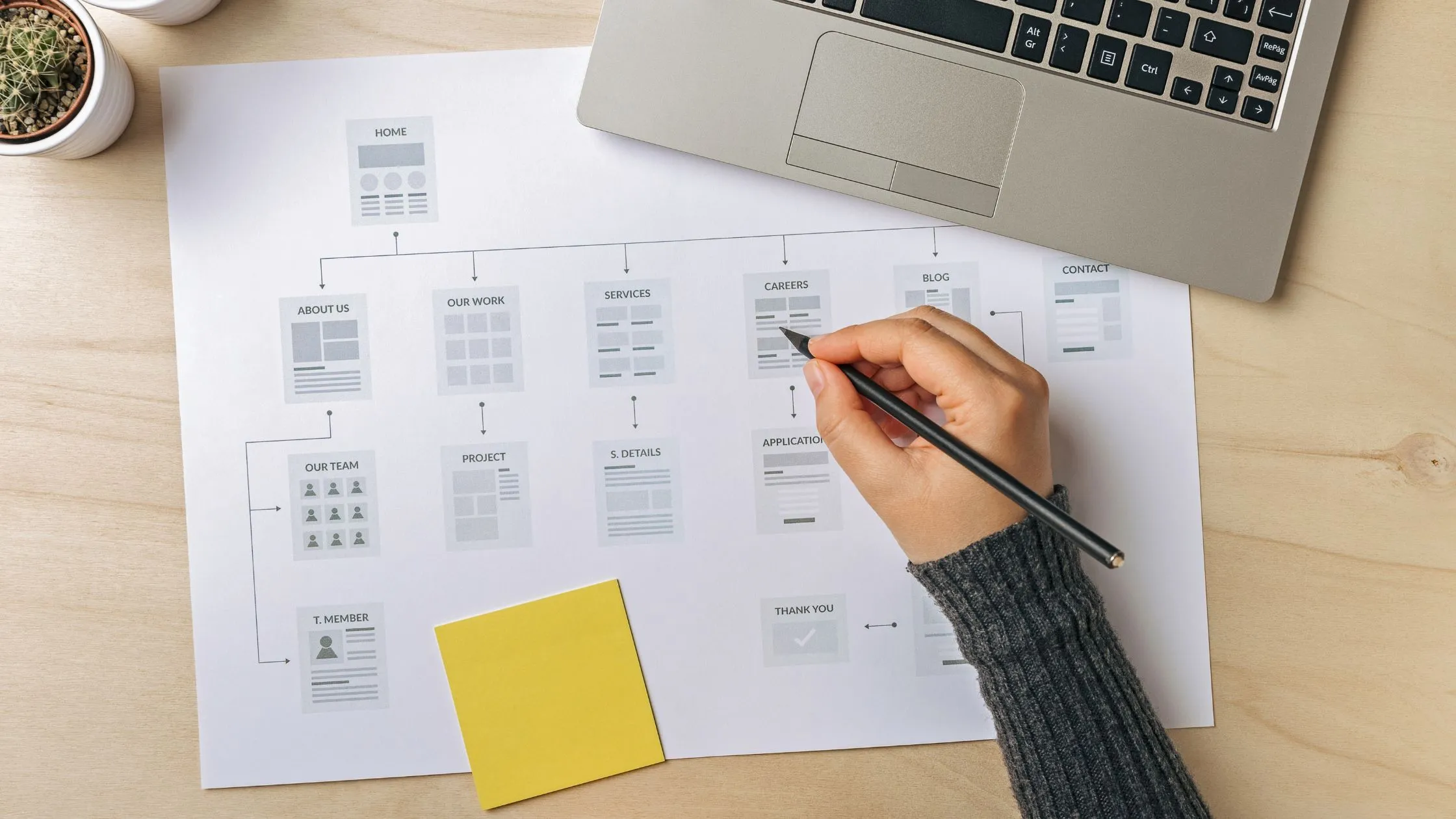
The start of the creation of a site often comes down to four steps: planning (target audience, goals), choosing the solution (creation platform, CMS or developer), design (structure, look, content), and going live (testing, corrections, finalisation).
Common mistakes include the lack of an editorial strategy, the lack of SEO optimisation, or a loading time that is too long. Also, some people rush in and create a website without worrying about how well their domain name works or about security. The creation of a website must therefore be carried out with an overall vision, which means thinking about SEO, usability and future maintenance. That way you will avoid most problems and be able to boost your visibility from the first few weeks. For advice on social presence, read how to improve the visibility of your LinkedIn page.
18) Creating an address and an effective domain name
The choice of a domain name is decisive for your online reputation. To create a punchy address, favour a short name that is easy to pronounce and remember. If your target is French, you can opt for the “.fr” extension, but “.com” remains a universal standard. Avoid names that are too complicated to write or remember, because you risk losing traffic.
When building a solid website, also think about setting up a professional email account linked to your domain name. This will strengthen your credibility with your prospects and partners. In addition, make sure your domain name is not already taken and that it does not infringe another brand’s rights. Check its availability and confirm your choice before continuing with the creation of pages and setting up your content. If you are unsure, take a look at how to choose a domain name in 6 steps.
19) The web for every situation: what adaptations for each site?
The web for every situation illustrates well the flexibility that the internet offers. Whether you are launching a forum, a corporate site, a networking platform or a news portal, it is generally possible to create the perfect solution with the right tools. Want to create your website for a local business? Focus on practical information (opening hours, address, services). Aiming at the international market? Offer multilingual content, multiple currencies, and so on.
Also take into account the legal and cultural specifics of each market. Personalisation and understanding your audience remain at the heart of success. To offer a quality experience, adapt your visuals, your features and your content. That way, you can truly take advantage of the universal side of the internet and reach users all over the globe.
20) Summary: what to remember for the creation of a high-performing website
Define your goal: blog, professional website, online shop. Choose a type of website suited to your business.
Select the right platform: a website builder, a CMS or a developer, depending on your budget and your skills.
Opt for reliable hosting: take advantage of quality web hosting to avoid downtime and slowdowns.
Choose a punchy domain name: easy to remember, linked to your identity.
Work on your content: well-structured text, quality visuals and relevant keywords for a search-engine-friendly site.
Take care over usability: a simple web experience that makes the site easy for visitors to use