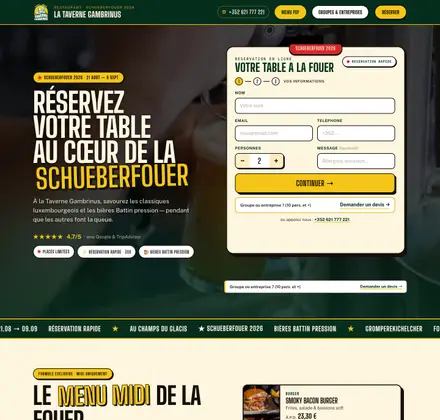
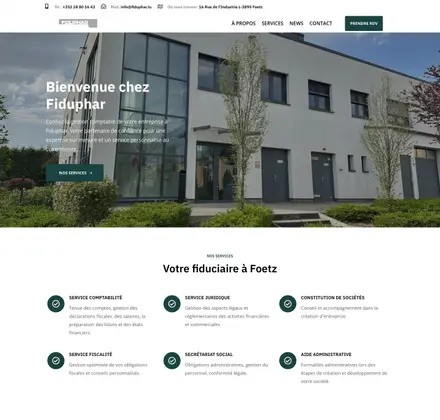
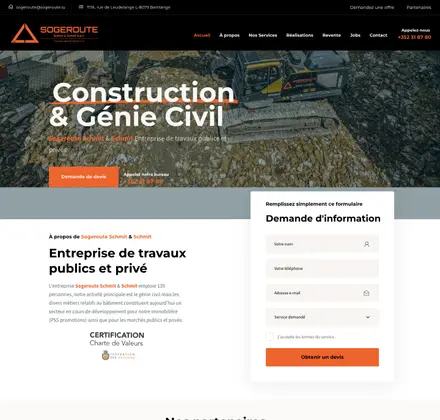



Position zero in SEO, also known as the featured snippet, is a concept that concerns how search results are displayed on Google. It is the Holy Grail for SEO experts, because it offers good visibility and attracts a considerable number of clicks. But what exactly is position zero? Why does it matter? And how do you get it?
What is position zero?
Position zero is a text extract highlighted by Google above the standard search results (SERP, or Search Engine Results Page). This extract answers the user’s question directly and often takes the form of a paragraph, a bulleted list, a numbered list or a table. Google’s aim with this feature is to give a quick, precise answer to the user’s query without them having to click on a link.
Types of featured snippets
There are several types of featured snippets, each with its own advantages and specific uses:
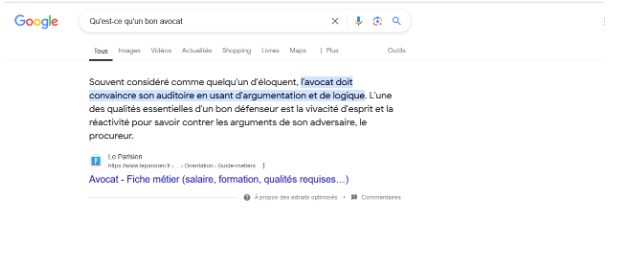
Paragraphs
This is the most common type and consists of a short paragraph of text answering a question directly. For example, for the query “What is a good lawyer?”, Google may display a paragraph briefly explaining the definition of a good lawyer.
Bulleted and numbered lists
Bulleted lists are often used for tutorials or lists of steps. They let users see the different phases of a process.
Example 1:
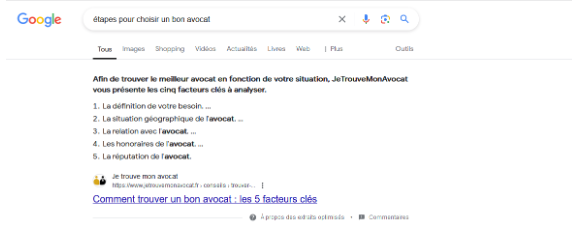
Query: “Steps to choose a good lawyer”
Featured snippet: Google may display a numbered list detailing each step of the process.
Example 2:
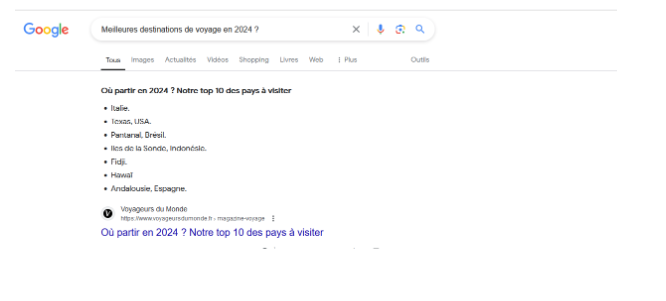
Query: “Best travel destinations in 2024”
Featured snippet: Google presents a bulleted list of popular destinations for 2024, taken from a well-known travel blog.
Tables
Tables are used to compare data or present structured information.
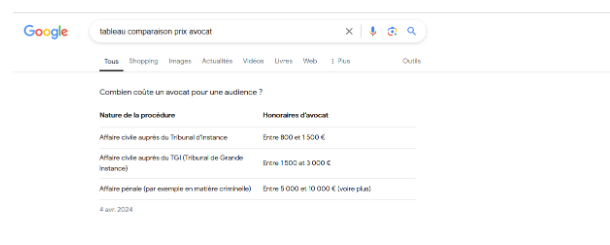
For example, for the query “lawyer price comparison table”, Google may display a table comparing a lawyer’s fees by service.
Why is position zero important?
Position zero takes up prime space on the search results page, often above the paid ads. Reaching position zero improves your SEO and gives your website maximum visibility. Being in position zero means your content is seen first by users, even before the ads.
More traffic
Featured snippets catch users’ attention. As a result, they generate a higher click-through rate (CTR) than other organic results. According to some studies, featured snippets can capture up to 8.6% of all clicks. This percentage can vary depending on the nature of the query and the relevance of the answer provided.
Authority and credibility
Reaching position zero can strengthen the credibility and authority of your website in your field of expertise. Users tend to trust information provided directly by Google. And being in position zero means Google considers your content the best answer to the question asked by the user.
Quick answers
Users appreciate quick, concise answers to their questions. They therefore enjoy a better overall experience on your site. By providing direct, precise answers, you can meet users’ needs more effectively. It can also reduce the bounce rate on your site.
How do you get position zero?
Position 0 is not easy to reach. That said, there are various practices to optimise your chances of getting there.
Identify users’ questions
The first step towards position zero is to understand what your users are searching for. Use tools such as SEMrush or Ahrefs to identify the common questions in your field. These tools let you see the exact queries users type into search engines.
Example: If you have a gardening website, questions such as “How do you plant tomatoes?” or “When should you prune roses?” are potential position zero queries.
Structure your content for featured snippets
Google prefers well-structured, easy-to-read content. Here are some of the formats Google favours for featured snippets:
- Paragraphs: answer the question concisely in 40 to 50 words.
- Bulleted and numbered lists: use them for steps or lists of points.
- Tables: ideal for comparing data or providing structured information.
Example: For the query “Steps to take a beautiful photo”, use a numbered list in your blog article on your photographer’s website:
- Choose the right subject.
- Find good lighting.
- Compose the image carefully.
- Set the camera settings.
- Use a tripod for stability.
- Take several shots to vary the angles.
- Retouch the photo to improve it.
By structuring your content this way, you make it easier for Google to extract relevant information and display it in position zero.
Use clear headings and subheadings
Make sure that your headings (H1, H2, H3) reflect the questions or topics users are searching for. Subheadings should be descriptive and include relevant keywords. Besides, the more searched your keyword is, the higher the likelihood of appearing in position 0.
Example: For an article on pruning roses, use subheadings such as “When should you prune roses?” and “How do you prune roses correctly?”. This not only helps structure your content, but also signals to Google that your page answers specific questions.
Optimise for long-tail queries
Long-tail queries (longer and more specific) often have less competition and are more likely to win featured snippets. We encourage you to use them to boost your chances of appearing in position 0 and to improve your SEO.
Example: Rather than targeting “planting tomatoes”, go for “best method for planting tomatoes in an urban garden”. Long-tail queries are generally less competitive. As a result, your chances of getting position zero are better.
Use structured data
Structured data, or schema.org markup (in French), helps search engines understand the content of your site. By adding structured data to your site, you can increase your chances of winning featured snippets. Use the appropriate tags for FAQs, articles, products and so on.
Answer the question directly
The answer to the user’s question must appear in the first paragraph of your content. Google favours direct, precise answers. Use clear, simple language and avoid unnecessary technical jargon.
Example: If you have a gardening website, questions such as “How do you plant tomatoes?” or “When should you prune roses?” are potential position zero queries.
Optimise images and videos
Featured snippets are not limited to text. Google also uses images and videos to answer users’ queries. Optimise your images with descriptive alt tags and use short, precise explainer videos.
Google’s Knowledge Card and Quick Answer
Be careful: not every result displayed in position 0 necessarily matches what we mean by “position 0” in SEO.
Google has in fact created tools to improve online searches.
- The Knowledge Card : this tool shows information taken from Google’s knowledge base, the Knowledge Graph (in French). It helps users find information quickly without visiting several sites. It links people, places and objects in a clear summary.
- The Quick Answer: displayed in position 0, it gives quick answers without always naming the source. It does not generate traffic or visibility for websites, and the information is often general, such as unit converters, sports results or the weather.
Tools to help you get position zero
1. SEMrush
SEMrush is a useful tool to analyse your competitors’ featured snippets and find opportunities for your own content. It offers detailed reports on the keywords and questions likely to trigger featured snippets.
Example: If you have a gardening website, questions such as “How do you plant tomatoes?” or “When should you prune roses?” are potential position zero queries.
2. Ahrefs
Ahrefs is another popular SEO tool that provides important information on featured snippets. It lets you identify the common questions and the keywords for which your site has a chance of appearing in position zero.
Example: If you have a gardening website, questions such as “How do you plant tomatoes?” or “When should you prune roses?” are potential position zero queries.
3. Google Search Console
Google Search Console is a free Google tool that lets you track your site’s performance in search results. Use the performance reports to identify the questions your site already answers and optimise your content accordingly.
CONCLUSION
In conclusion, position zero is a key goal in SEO because it offers maximum visibility and attracts more clicks. By following best practices, using the right tools and staying rigorous, you improve your chances of landing in position 0.
Need help with your quest for position 0 in SEO? Contact us!