

Do you want to add a Google Business Profile for your business? Having a business profile on Google brings you many benefits in terms of SEO, online reputation and conversion. That said, you need to know how to create a good business profile to profit from it. Here is our advice on creating and optimising your Google Business Profile.
What is a Google Business Profile?
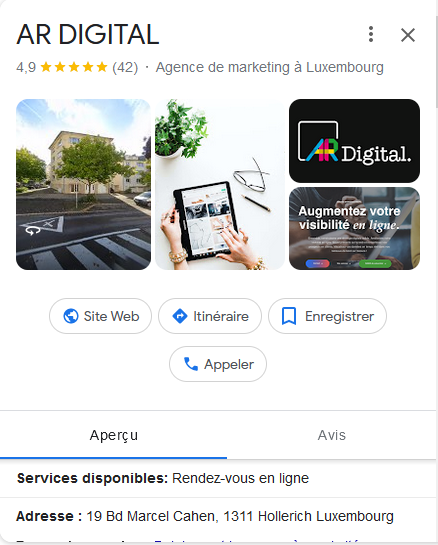
A Google Business Profile, formerly Google My Business, is a free tool that lets you manage your online presence on Google services, such as Google Maps and Google Search.
By creating a profile, you can give customers essential information about your business, such as your name, your address, your phone number, your opening hours, your website and your photos.
Google Business Profiles also appear in Google search results when users look for local businesses.
Do you not have a business website? If your work means meeting your customers at their homes (plumber, coach, mobile hairdresser, etc.), you can still create a Google Business Profile.
Why create a Google Business Profile?
There are many reasons to create a Google Business Profile for your business:
- Improve your visibility in the “Local Pack”
When users search for local businesses on Google, your profile will appear in the search results. This can help you attract more customers to your business.
- Improve your SEO
A Google Business Profile improves your search ranking by making you appear higher in the search results at no extra cost.
- Win more customers
By providing accurate, up-to-date information about your business, you can encourage potential customers to contact you or visit you.
- Get customer reviews
Customer reviews help you build trust and credibility for your brand. Bear in mind that 98% of internet users read customer reviews of local businesses before moving forward in their buying process.
- Manage and improve your online reputation
You can reply to customer reviews on your profile. This is a good way to manage your online reputation.
- Showcase your products and services
You can add photos, videos and posts to your profile to showcase your products and services.
- Make information easier for customers to find
Customers can easily find you and contact you thanks to accurate, up-to-date information about your business on your Google Business Profile.
- Analyse the performance of your profile
Google Business Profile gives you analytics that let you track the performance of your profile and learn more about your customers.
How do you create a Google Business Profile?
Creating a Google Business Profile is simple and quick. Here are the steps to follow:
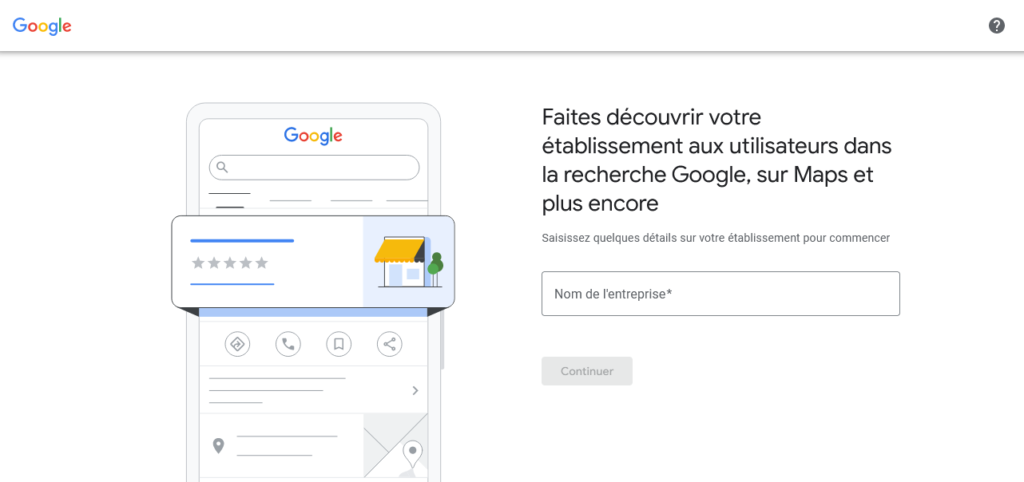
Create a Google Business Profile account
If you do not already have a Google account, you need to create one. Once you have created an account, go to https://www.google.com/business/. You can sign in to Google Business Profile and start creating your profile.
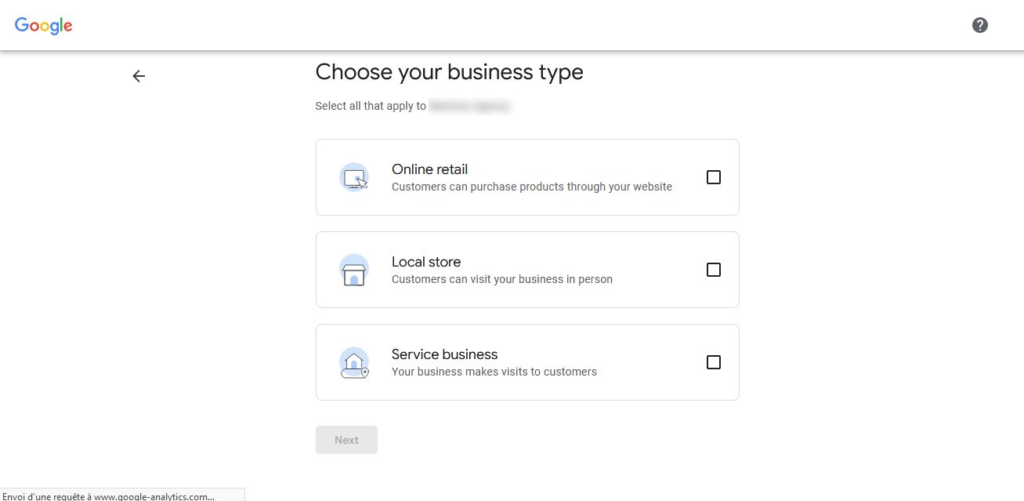
Choose the type of business
After you enter your business name, a window gives you three choices. Select your type of business.
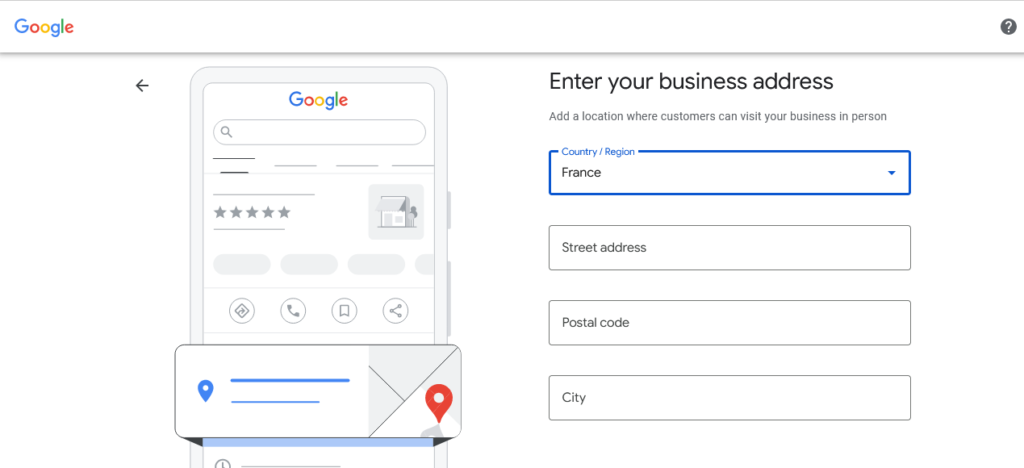
Enter your business information
When you use Google, you have to play by its rules. The more fields you fill in on your profile, the better Google will rank you. But it is not just for Google: all this information is also useful for people looking for you online.
If you do not have time to do everything, at least fill in the “NAP”: Name, Address, Phone number. But you will need to take care of the other details quickly, such as your website, your opening hours, the business category, and so on.
It is also important to be consistent with the NAP. This means your business must be identified in the same way everywhere. For example, if your number is 01 11 11 11 11 on Google, it must be the same on other sites such as the Yellow Pages, Facebook and even on your own website.
If there are inconsistencies between the information given on your website and on your Google Business Profile, Google will penalise you. Google relies on the consistency of this information to validate how trustworthy your profile is.
Accept Google’s suggestions
Now Google asks whether you want tips to improve your business profile. It is a good idea to say “Yes” to get the benefit of Google’s best advice.
Verify your information
Your business profile will not be visible until you have verified it. Even though you can skip this step at first, you will have to do it later.
There are five ways to verify your profile, depending on whether or not you add a physical location:
- By phone: Google will send you a call or a text message with a verification code.
- By email : You will receive an email with a verification code.
- By post: Google will send a postcard with a verification code to your address.
- By video : You can record a video showing your premises and proving that you are the owner.
- By video call: You can have a live video call with a Google representative and show the same proof.
Write an effective description
Start by clearly presenting your main activity and highlighting your expertise. Then give your geographic location so that potential customers know where to find you.
Describe in detail the services you offer, highlighting what makes you unique or specialised in your field. And if you still have room, do not hesitate to share your business’s story: it can help build a connection with your customers.
Be careful not to exceed the 750-character limit set by Google. On the other hand, use as much of that space as you can to share relevant, interesting information about your business.
Add photos and videos
Add photos of your business, your products and your services to make your profile more attractive: photos of your products, of the inside or outside of your premises, of your team… You can also add videos to present your business.
Analyse the performance of your profile
Google Business Profile gives you analytics that let you track the performance of your profile. You can see how many people have viewed your profile, how many phone calls and quote requests you have received, and more.
Tips for optimising your Google Business Profile
Here are a few tips to optimise your Google Business Profile:
- Use relevant keywords: when you create your profile, make sure you use relevant keywords that potential customers are likely to search for.
- Keep your information up to date: make sure your information is always current, including your opening hours, your phone number and your website.
- Use high-quality photos and videos: high-quality photos and videos can make your profile more attractive to potential customers.
- Reply to customer reviews: it is important to reply to customer reviews, whether positive or negative. Ideally, post a reply within 24 hours.
- Add links that lead to your social media
CONCLUSION
To conclude, having a business profile is an essential step if you want to promote your business online. By following these steps, you will be able to create an effective Google Business Profile.