Introduction
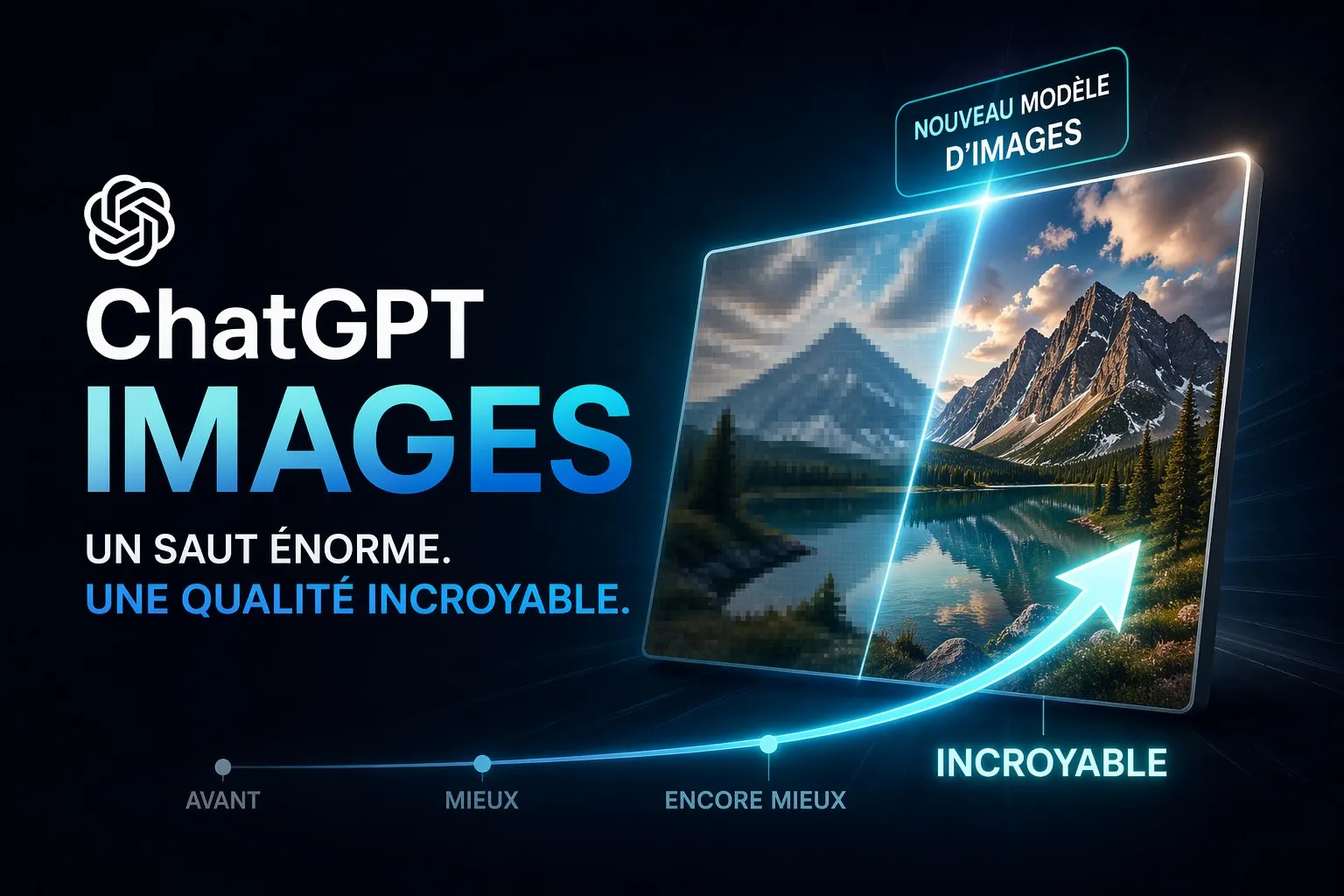
On 21 April 2026, OpenAI officially launched ChatGPT Images 2.0, also known by its technical name gpt-image-2. In less than 48 hours, social media lit up, designers shared stunning creations, and Sam Altman himself said live: “It’s like going from GPT-3 to GPT-5 in one go.”
This is not a simple update. It is a breakthrough.
Since the release of DALL-E 3 in 2023, then GPT Image 1 in April 2025 and GPT Image 1.5 in December 2025, each version had brought gradual improvements. With Images 2.0, OpenAI crosses a conceptual line: the image no longer comes from an external tool. It is born directly from the model’s reasoning, like a thought taking shape.
In this article, we explain what really changes, how to use it right now, and why it is a turning point for creatives, marketers and digital agencies.
What is ChatGPT Images 2.0 (gpt-image-2)?
ChatGPT Images 2.0 is the third generation of OpenAI’s flagship image generation model. It succeeds:
- gpt-image-1: launched in April 2025, the first native image generation in GPT-4o
- gpt-image-1.5: released in December 2025, with improved text rendering and precise inpainting
- gpt-image-2: launched on 21 April 2026, with agentic reasoning, 2K resolution and multilingual text
The fundamental difference from its predecessors? The reasoning capabilities of the O series are built directly into the image pipeline. Put simply: before generating, the model thinks about what it is going to create. It analyses the scene, plans the visual elements, checks its internal consistency, and only then does it generate.
It is no longer an image generator. It is a designer that reasons.
The 5 major new features of ChatGPT Images 2.0
1. Native 2K resolution
ChatGPT Images 2.0 generates visuals in 2K resolution directly, with no upscaling afterwards. For creatives working on print, large formats or premium social media content, this is a critical step forward. Fine details such as textures, fur, reflections and typography are rendered with a precision that no mainstream model had reached until now.
2. Accurate multilingual text in images
Text rendering in images has long been the Achilles heel of every AI generator. ChatGPT Images 2.0 handles non-Latin alphabets (Japanese, Korean, Arabic, Hindi, Bengali, Chinese) with character-level accuracy. For brands operating internationally, for multilingual campaigns, or simply to generate an infographic in Arabic without going through Photoshop, it is a practical revolution.
3. “Thinking” mode: visual reasoning
This is the most disruptive new feature. With Thinking mode switched on (available to paying subscribers), ChatGPT Images 2.0 can:
- Search the web in real time to bring up-to-date information into an image
- Generate several distinct visuals from a single complex prompt
- Check its own outputs before showing them to you
- Create complete manga pages with recurring characters and narrative continuity
- Produce entire magazine pages from a simple brief
4. Generation 4× faster
Compared with gpt-image-1.5, generation speed has been multiplied by four. In practice, a complex image is ready in about 8 seconds in standard mode. For intensive production workflows, such as e-commerce catalogues or visual variations for multi-format campaigns, it is a major productivity gain.
5. Precise editing that preserves detail
ChatGPT Images 2.0’s inpainting is in another category. When you ask for a targeted change to an uploaded image, the model changes only what you ask for, keeping the lighting, composition, facial features and overall visual consistency. Changing an outfit, adding a logo, fixing a background, varying a product’s colour: it is all done through natural conversation, with no photo retouching skills.
ChatGPT Images 2.0 vs. previous versions
| Capability | DALL-E 3 | GPT Image 1 | GPT Image 1.5 | GPT Image 2 |
|---|---|---|---|---|
| Max resolution | 1024×1024 | 1024×1024 | 1536×1536 | Native 2K |
| Latin text rendering | Poor | Average | Good | Excellent |
| Multilingual text | No | No | Partial | Character-level accuracy |
| Reasoning mode | No | No | No | Yes (Thinking) |
| Targeted inpainting | No | Partial | Yes | Improved |
| Speed | Slow | Average | Fast | 4× faster |
| Availability | Subscribers | Subscribers | Everyone | Everyone (Thinking: paid plans) |
How to access ChatGPT Images 2.0 right now
For ChatGPT users (Free, Plus, Team, Enterprise):
The rollout started on 22 April 2026 for all users. Here is how to get to it:
- Log in at chatgpt.com
- In the sidebar, look for the “Images” tab (new since December 2025)
- Or simply start a chat and ask directly for an image to be generated
- Standard mode is available to everyone for free
- Thinking mode (advanced reasoning) is reserved for Plus, Team and Enterprise subscribers
For developers (API):
Official API access under the identifier gpt-image-2 will open in early May 2026. Pricing is $8 per million input tokens and $30 per million output tokens, following the same billing logic as the GPT-4o text models.
Concrete use cases for digital professionals
Agencies and marketing teams
- Visual variations for multi-format campaigns (social square, display banner, stories format, LinkedIn) from a single source visual
- Product mockups with variations (colours, settings, angles) without a photo shoot
- Visuals for A/B testing generated in a few minutes
E-commerce
- Complete product catalogues with varied lifestyle settings from a single product photo
- Virtual try-on of outfits and accessories (hairstyles, clothing) with consistent facial features
- Product photo backgrounds adapted to each target market
Content creators
- Visuals for LinkedIn, Instagram and X posts, generated and adapted to the context in real time
- Multilingual infographics with no design knowledge
- Blog article covers customised in seconds
Designers and creative studios
- Moodboards generated from client briefs
- Storyboards and manga pages with recurring characters
- Fast visual prototyping to present concepts before production
A few tips to get the best out of ChatGPT Images 2.0
1. Be precise in your prompts, but conversational
Unlike Midjourney, which reinterprets freely, GPT Image 2 follows your instructions to the letter. Describe the scene, the style, the colour palette, the format and the text you want. Be specific.
2. Use Thinking mode for complex scenes
For a magazine spread, a multi-column infographic, or a visual with several characters and embedded text: switch on Thinking mode. The model plans before it generates.
3. Iterate through conversation
GPT Image 2 is a conversational model. If the first result is 80% there, do not start from scratch. Tell it precisely what is wrong: “Keep everything but change the background colour to #1A2B3C and remove the logo on the right.” It adjusts without recreating everything.
4. Upload your reference images
To create consistent variations of your visual identity, upload your brand guidelines, your logo, a reference photo. The model analyses them and draws on them to keep the brand consistent.
5. Build your library of JSON styles
An advanced tip: ask ChatGPT to describe the style of an image you like in JSON ("create a JSON that precisely describes the style of this image"). Reuse that JSON in your future prompts for stylistically consistent results.
ChatGPT Images 2.0 against the competition
ChatGPT Images 2.0 arrives in a fiercely competitive market. In April 2026, Nano Banana Pro (based on Google’s Gemini 3.1 Flash) had taken the top spot in the LM Arena rankings for stylistic diversity and text rendering. Stable Diffusion and Midjourney remain the benchmarks for ultra-artistic renders.
What sets ChatGPT Images 2.0 apart is its unique proposition: a unified text, image and reasoning platform in a single interface. You do not switch tools to go from brief to creation, from analysis to generation, from retouching to client brief.
For a digital professional or an agency, that is the deciding argument: everything in one conversation.
The impact on digital professions
Is it a threat to graphic designers?
The question comes back with every advance in visual AI. The reality in 2026: ChatGPT Images 2.0 has not replaced designers, it has redefined their role. Repetitive tasks (variations, variants, basic mockups) are delegated to AI. The designer’s value is concentrated in art direction, the strategic consistency of the brand identity, and creative approval.
Agencies that build these tools into their workflows gain production capacity without raising their costs in proportion. Those that do not risk losing competitiveness.
The question of copyright
Under OpenAI’s terms of use, you own the images you generate and can use them commercially, including on the free plan. The images carry C2PA metadata (Coalition for Content Provenance and Authenticity) that identifies their AI origin, a transparency standard that is becoming widespread in the industry.
FAQ: ChatGPT Images 2.0
Is ChatGPT Images 2.0 free? Standard mode is available for free to all ChatGPT users. Thinking mode with advanced reasoning is reserved for paying subscribers (Plus, Team, Enterprise).
What is the difference between gpt-image-1, gpt-image-1.5 and gpt-image-2? GPT Image 1 (April 2025) introduced native generation in GPT-4o. GPT Image 1.5 (December 2025) improved text rendering and inpainting. GPT Image 2 (April 2026) adds agentic reasoning, 2K resolution and precise multilingual text.
Is ChatGPT Images 2.0 available through the API? Yes, under the identifier gpt-image-2. Opening to developers is planned for early May 2026.
Can the generated images be used commercially? Yes, under OpenAI’s terms of use. You own the generated images and can use them commercially.
Is ChatGPT Images 2.0 better than Midjourney? The two tools have different strengths. ChatGPT Images 2.0 excels at following instructions, text rendering, conversational integration and professional workflows. Midjourney remains better for ultra-artistic renders and expressive stylistic diversity.
How do you switch on Thinking mode in ChatGPT Images 2.0? Select a reasoning model (o1, o3) in ChatGPT before asking for the image to be generated. Thinking mode switches on automatically for complex visual requests.
Conclusion
ChatGPT Images 2.0 is not just an update. It is the culmination of a vision OpenAI has held for years: making image generation a core capability of the language model, not a side tool.
With 2K resolution, agentic visual reasoning, accurate multilingual text and generation speed multiplied by four, gpt-image-2 stands out as the reference model for digital professionals who want to create quickly, well, and in line with their brand world.
If you have not tried it yet, the competitive advantage window is open. It will not stay open forever.
Article written by Radu Ulea, from a digital agency in Luxembourg specialising in website creation, SEO, and building AI tools into marketing strategies.
Published on 23 April 2026. Sources: OpenAI (openai.com), Axios, Gizmodo, blog-ia.com