





Nowadays, for a great many professionals, a website is far more than a simple shop window: it is an essential tool for increasing your visibility and boosting your business. So it is obvious that when something goes wrong, even if it seems minor, the consequences can quickly become serious. From the visitor’s point of view, nothing is more frustrating than landing on a page that can’t be reached.
To prevent this kind of annoyance, it is essential to make sure your site is working properly and to anticipate possible outages. Fortunately, there are simple solutions for monitoring your site in real time: website monitoring tools. We have picked several to help you with this.
Website monitoring: what is it?
When you run a website, we all share the same goal: for it to be smooth, available and pleasant to browse for every visitor. Because let’s be honest, even with the most beautiful design and the best content, if navigation is complicated or the site goes down regularly, all the work you put in risks being wasted.
This is where website monitoring comes in. Its role? To alert the teams immediately as soon as a technical problem occurs, whether on the whole site or on a specific page. This lets you react quickly, fix 404 errors for example, and limit the impact on users. Monitoring can cover several aspects: availability, overall performance, or the smooth running of online transactions.
In short, monitoring is a bit like a discreet but indispensable night watchman: it watches continuously so that your visitors always reach a site that is up and pleasant to use.
The different forms of website monitoring
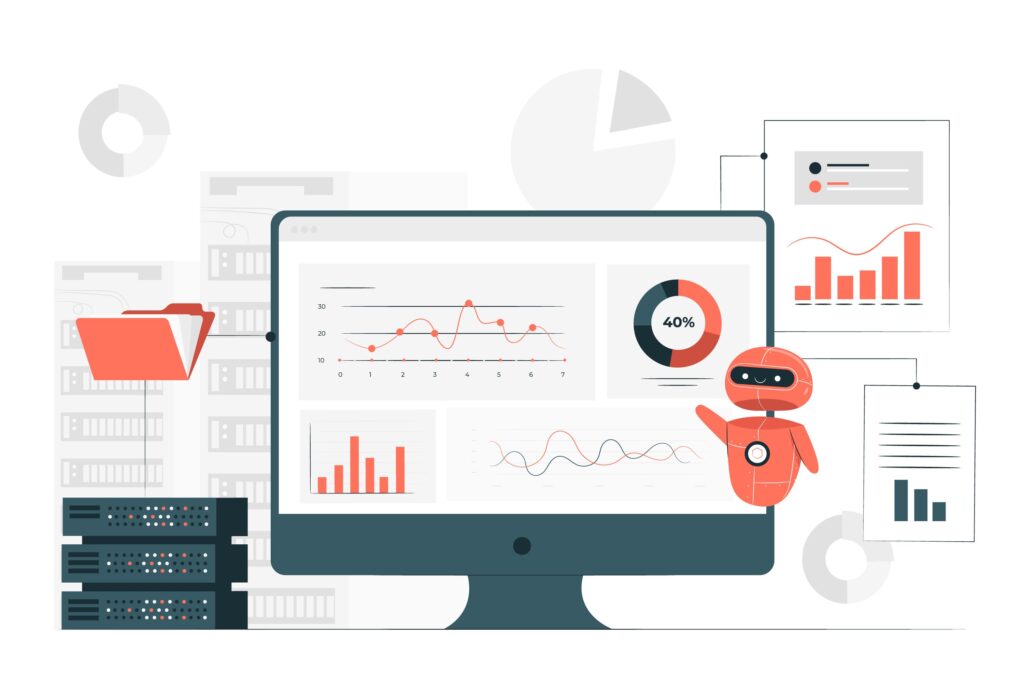
When we talk about monitoring a website, you should know that there are two main approaches: internal monitoring and external monitoring. And on the external side, there are two further ways of doing it: so-called “traditional” monitoring and “scripted” monitoring.
It isn’t easy to find your way around at first, but don’t panic. We’ll explain the difference between these two methods right away.
Internal website monitoring
Internal monitoring, as its name suggests, looks after what happens inside the company. In practice, it means checking the state of the internal servers, via the intranet, and not through the internet. Everything happens locally: the monitoring software is installed directly on one of the company’s internal servers, which lets you keep a constant eye on system performance from the inside.
External monitoring
This type of monitoring checks whether your site is really accessible… to everyone, everywhere. The principle? Checkpoints are spread across different places around the globe to test your site’s availability as if an ordinary visitor were trying to reach it.
Traditional external monitoring
In its most classic version, external monitoring works with basic requests: we are talking about HTTP requests. The software simply asks the server to send back the elements of a web page (files, content, etc.), as a standard browser would.
These tests can be run from several geographical locations to simulate access from different countries. The aim is to see whether the site responds… and above all how long it takes to do so.
Scripted monitoring
Scripted monitoring goes further. It doesn’t just check that a page displays: it reproduces the actions of a real user. Navigation, clicks on links or buttons, adding a product to the basket, submitting a form… everything is tested, as if someone were really using your site.
This type of monitoring detects more complex malfunctions, particularly in critical journeys such as an online purchase. It is often called transactional monitoring when it tracks each step of a conversion funnel.
5 monitoring tools to know to keep an eye on your site
There is nothing more reassuring, when you manage a website, than knowing it is being well monitored. Availability, performance, security: everything can (and should) be checked. Here are five monitoring tools that make your life easier, each with its own strengths.
Uptime Robot: the essentials, for free
If you are looking for a simple, free solution to get started, Uptime Robotis a good ally. It checks every five minutes whether your site is online and sends you an alert as soon as it detects a problem. You can be notified by email, SMS, Slack, Twitter, or even other channels. A paid version is also available to go further. Perfect for blogs or small sites that want to stay accessible without breaking the bank.
Netvigie: the French solution, extremely complete
Netvigie is a very complete French tool that does more than check whether your site is online. It measures the performance of your pages, tests user journeys, detects slowdowns and checks content consistency. It also monitors third-party platforms, offers load tests, and even a dedicated tool for analysing the data collected on your site (Seenatic). Thanks to its clear interface and detailed reports, you get real support in optimising your site, in France and internationally.
Nagios: for infrastructure professionals
Nagios is a very robust network and server monitoring solution, built for demanding technical environments. This open-source software offers a high level of customisation, but takes a little getting used to. It monitors everything: servers, services, network protocols, bandwidth… and sends you notifications as soon as a problem occurs, via SMS, email or instant messaging. A powerful tool, ideal for large organisations or experienced system administrators.
StatusCake: an all-in-one monitoring suite
StatusCake offers a free version and a pro version, with a wide range of features. It tests your site’s availability from 30 countries, analyses loading speed, detects viruses, monitors the validity of your domain name and your SSL certificate, and can even track your server resource usage (CPU, RAM, hard disk). Nice bonus: it lets you create a public status page to inform your visitors in the event of an outage.
Pingdom: the benchmark for a top-notch user experience
Pingdom is a tool focused on user performance. This paid service monitors your site’s availability in real time, sends you instant alerts and helps you optimise loading times. Its main strength? It provides precise data on your visitors’ behaviour, so you can improve their browsing experience in a concrete way.
Conclusion
Monitoring your site is not a luxury, it is a necessity. With the right monitoring tools, you stay in control, anticipate problems and offer your visitors a smooth experience, around the clock. It’s up to you to choose the solution that best matches your needs and your site.