Do you have a website, a blog, an online shop… and a ton of questions that keep coming back?
In that case, you have surely already thought about creating an FAQ. But beyond the simple convenience, did you know that a well-written frequently asked questions page can become a powerful asset for your search ranking?
You still need to know how to go about it. Which questions should you choose? How should you word them? What can you do so that Google notices them without falling into the trap of robotic text?
In the lines that follow, we will see how to turn an FAQ into a clever SEO tool, without falling back on automatic habits or ready-made recipes. It is practical, it comes from the field, and above all: it works.
Why does adding an FAQ improve your SEO and your user experience?
When we think “FAQ”, we often picture a list of questions tucked away at the bottom of a page. Yet, used well, it is a real opportunity to gain visibility and meet your visitors’ expectations before they even click elsewhere.
For example: if you sell trainers online, how many times have you heard “I take a 42, but does it run large or not?”. Rather than giving the same answer ten times in customer service, why not turn that question into useful content… that is also visible?
How do you choose the right questions for an FAQ that really works for SEO?
The key is not to pull generic questions out of a hat. It is to listen to what your users tell you, sometimes without saying it directly. The real gems are in what people search for on your site, ask your support team or even post in comments on your posts.
Here are a few simple but powerful approaches:
- Check the internal searches on your site: the terms entered will give you concrete clues about real needs.
- Ask your customer support team: recurring questions are goldmines for enriching your FAQ.
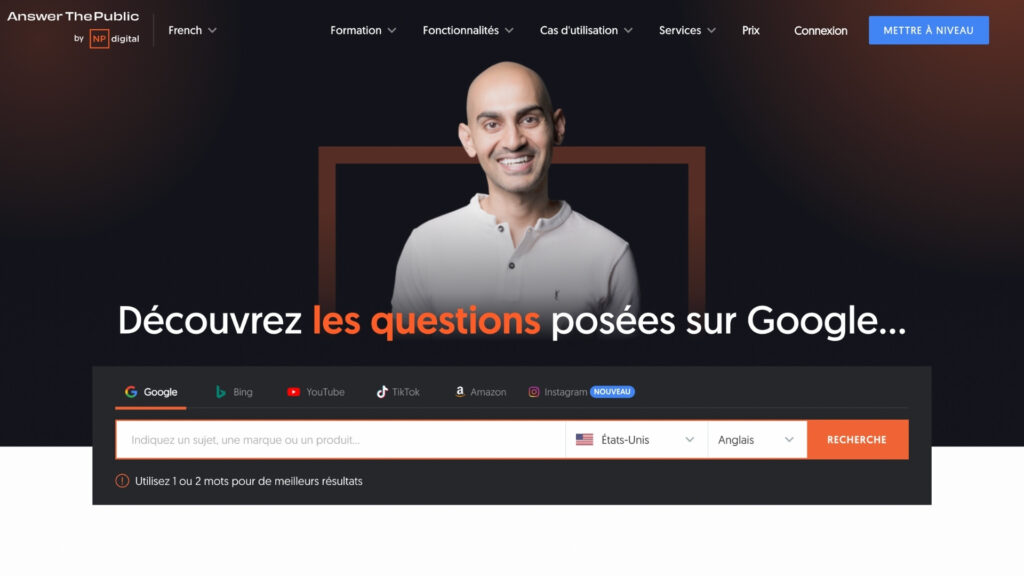
- Use tools like AnswerThePublic or Ubersuggest to see the exact queries people type into Google.
- Look at Google’s autocomplete suggestions: start typing a question and let Google show you what people really search for. It is often very revealing.
Structuring your FAQ: organisation and hierarchy for better search ranking
Nobody reads an endless block of text. To make your FAQ pleasant to read (and to scan), start by grouping questions by theme: delivery, products, returns, and so on. Each subject deserves its own space.
Then structure your headings: use tags such as <h2> for the main categories and <h3> for each question. This markup helps users find their way quickly, and makes indexing by search engines easier.
And above all, keep it simple. A clear, direct answer is better than a paragraph of jargon. The aim is for users to find their answer in a few seconds, not to read a novel.
Concrete examples:
- Track my order? Go to the tracking page, enter your number, and follow the delivery status in real time.
- A product does not work? Contact us within 30 days for an exchange or a refund, no hassle.
Optimising your FAQ for search engines: essential best practices
This is where your FAQ can really make the difference. If you have worded your questions well, using the terms your visitors naturally use, Google can detect them… and sometimes display them directly in the results as featured snippets.
No need to force it: there is no point repeating your keyword ten times. A well-asked question, followed by a clear, concise answer, is often enough to stand out. Two or three well-turned sentences sometimes do better than a whole paragraph.
Do not forget the importance of internal links either. If an answer mentions a product, add a link to its page. If you talk about return conditions, point the user to the relevant page. This improves navigation while strengthening your internal linking.
And when it helps, enrich your answers with visual content: an image, a diagram, a short video… all elements that make your page more engaging and easier to read.
FAQ and structured data: how to use schema markup for Google
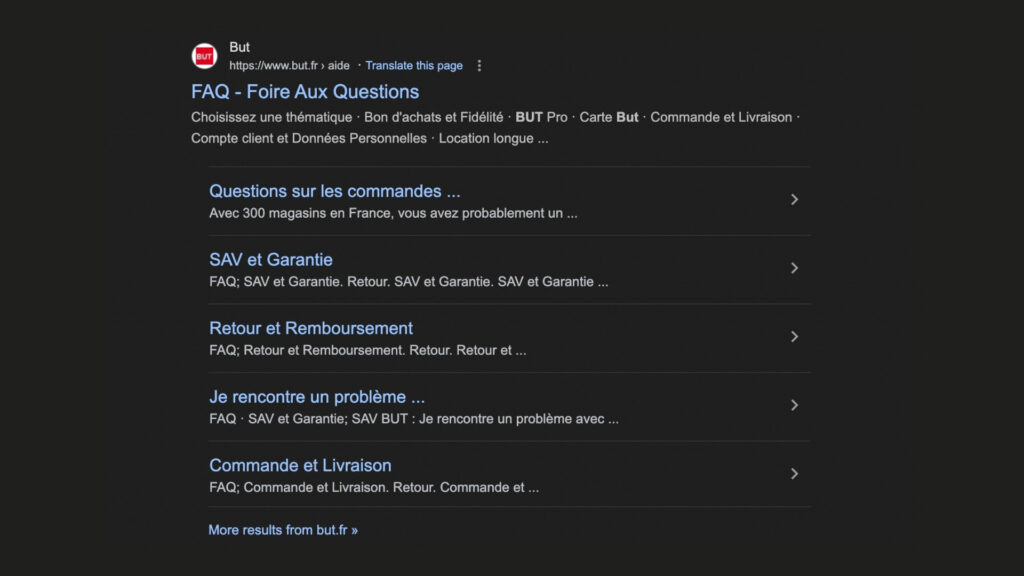
If you use a CMS such as WordPress, you can enable what is called schema markup: a structured data format that helps Google understand that your page contains an FAQ.
With an SEO plugin such as Rank Math or Yoast, adding this markup takes a few clicks. For the more technical, it is also possible to insert the JSON-LD code manually for the FAQPage type. Nothing very complex, but it can noticeably improve the visibility of your answers in search results.
Before putting your page live, remember to check that the markup works properly with Google’s rich results test tool. This lets you fix any errors before indexing.
Measuring, adjusting and updating your FAQ to stay visible over time
An effective FAQ is never fixed. It is not content you publish once and for all. You need to watch it, adjust it, enrich it when new questions appear, and remove what becomes obsolete.
Get into the habit of checking Google Search Console regularly to analyse how your FAQ performs. Which queries bring in traffic? Which pages stand out? With what click-through rate? This data is valuable for refining your content.
But do not limit yourself to numbers. Ask your visitors whether they find the answers useful. Are there topics not covered? A wording that is unclear? By listening to this feedback, you will steer your FAQ in the right direction.
Add a short line such as: “Did not find your answer? Contact us here”. It opens the door to interaction and gives you new ideas to enrich your content.
Conclusion
A high-performing FAQ is a living FAQ. It is not a fixed block of text, forgotten after publication. It is content that evolves, grows richer, and stays aligned with the real needs of your visitors.
It lets you save time, reduce repetitive requests, reassure your customers, and also boost your SEO. In some cases, it can even propel your answers straight to the top of Google results, without going through paid advertising.
So yes, it takes a little attention at the start. But once it is properly in place, you will see: the results will follow.
Need help creating your website with an FAQ section? Contact us, we will support you!

Lola MinervaCommunication and web marketing
Communication and web marketing expert at AR Digital, with a master’s degree in communication and web marketing. Since 2019 she has designed digital and content strategies for brands in France and Luxembourg.