
In short. Search Console and Google Analytics do not measure the same thing, which is why their numbers never match. To judge your SEO, rely on Search Console, the most reliable source for your visibility in Google. For behaviour and conversions, use Analytics. A gap between the two is a technical matter, not an SEO problem.
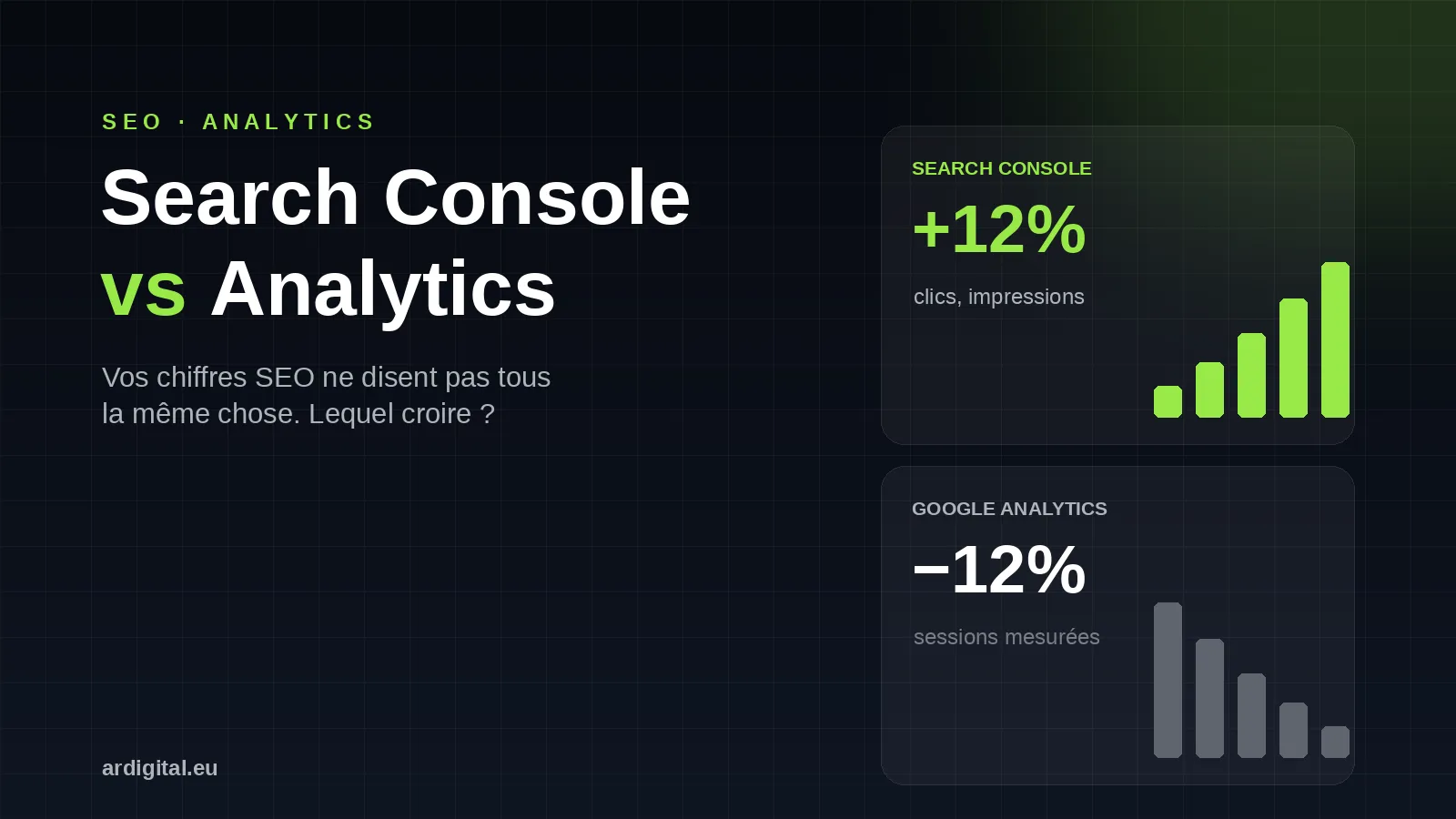
You open your dashboard. Search Console shows impressions up 15% and clicks up 8% this month. Excellent news. Then you switch to Google Analytics: organic traffic is down 12%. Your first reaction: what is going wrong? Most businesses run into this contradiction. The good news is that it can be explained in a few minutes.
Search Console up, Analytics down: a normal contradiction
Key point. When Search Console goes up and Analytics goes down, it is neither a bug nor poor SEO. You are simply comparing two measurements that do not observe the same reality.
Monday morning. Your management or your client looks at the statistics and sees organic sessions falling by 10% according to Analytics. But your SEO report shows clicks up 12% in Search Console. The question lands: what is this inconsistency?
We live this situation every week at AR Digital. A client calls us, a little worried. Their SEO seemed to be improving, then Analytics tells them the opposite. The first thing to understand is that you are comparing two things that do not measure the same reality. It is as if you were comparing the number of people looking at your shop window with the number of people who actually walk into your shop.
Search Console and Google Analytics do not measure the same thing
Key point. Search Console measures what happens in Google, before the click. Analytics measures what happens on your site, after the visitor arrives.
This is the heart of the problem. These two tools were never designed to show the same numbers. They observe your site at two different moments of the journey.
What Search Console measures
Search Console (GSC) records what happens before the user reaches your site, on Google’s side, in the search results. When your page appears in the results, that is an impression. Someone clicks your link, and GSC counts a click. It does not matter what happens next, even if the person closes the page straight away, uses an ad blocker or refuses cookies. The data comes directly from Google, not from your site.
What Google Analytics measures
Google Analytics (GA4) starts counting after the user arrives on your site. It tracks behaviour: how long the person stays, which pages they visit, whether they convert. But for Analytics to record a visit, several conditions must be met:
- the tracking code must load correctly,
- the user must not have blocked JavaScript,
- they must not have refused cookies,
- their browser must accept tracking.
If just one of these conditions is missing, Analytics sees nothing. The person did visit your site, but as far as Analytics is concerned, they do not exist.
The table that sums it all up
| Criterion | Google Search Console | Google Analytics (GA4) |
|---|---|---|
| What it measures | Visibility in Google (impressions, clicks, position) | Behaviour on the site (pages, engagement, conversions) |
| When | Before the click, on Google’s side | After arrival on your site |
| Source of the data | Google’s servers | Script loaded in the browser |
| Depends on cookies | No | Yes, consent required |
| Blocked by Safari, iOS, ad blockers | No | Partly, yes |
| Ideal for | Steering your SEO | Measuring conversion and comparing channels |
Comparing the two without a filter: the classic mistake
Many businesses look at Search Console clicks and Analytics sessions as if they were the same metric. That is a fundamental mistake. A Search Console click becomes an Analytics session in the best case. Often, it becomes nothing at all, because between the click and the session, technical obstacles stop Analytics from capturing every visitor. So when you see 1,000 clicks in GSC and 750 sessions in GA, do not panic. The gap comes from the technical limits of Analytics, not from an SEO problem.
Why Search Console is more reliable for SEO
Key point. To measure visibility in Google, Search Console remains the reference source. It depends on neither cookies nor blockers, and it delivers the queries, the pages and the positions.
Data from Google’s side
Search Console draws its data directly from Google’s servers. When someone runs a search, Google knows exactly which pages were displayed and which were clicked. Analytics, on the other hand, depends on what happens on your site: if the tracking breaks, you lose data, and if the visitor blocks scripts, you never see them.
Independent of cookies
Cookies have become the number one enemy of web tracking: GDPR rules, browsers that block by default, users who are increasingly wary. A growing share of your traffic therefore escapes Analytics. Search Console depends on no cookie at all. It measures what happens in the Google ecosystem, even if the person has refused every cookie in the world.
Resistant to ad blockers
Safari blocks part of the tracking by default, Firefox does too in strict mode, and extensions such as uBlock Origin do the same. All these visitors are invisible to Analytics, but perfectly visible to Search Console, because the blocking happens in the browser, after the click in Google. GSC has already counted the click by then.
Queries, pages and positions
Search Console gives you what no other tool provides for free: the list of queries that generate impressions and clicks, with the associated average positions. You know which pages perform, which keywords work, where you are progressing and where you are slipping. This view is fundamental for steering your SEO.
An important caveat
Search Console is more reliable, but not infallible. Google filters and anonymises rare queries there, limits the display to 1,000 rows in the interface, and counts one click per query per day, not per visit. More reliable for visibility trends, then, without being an absolute truth.
Why Google Analytics increasingly underestimates traffic
Key point. Cookie consent, Safari and iOS, ad blockers, and the move to GA4: four structural reasons mean Analytics counts fewer and fewer visitors compared with reality.
< 25%
In France and Belgium, fewer than a quarter of internet users accept all cookies, and nearly 7 in 10 close or ignore the banner (studies by Advance Metrics and CookieYes, 2026). The majority of your traffic therefore escapes Analytics from the outset.
Cookie consent changes everything
Under the GDPR, you must ask for consent before tracking a user. Yet, contrary to a widespread belief, acceptance is low in French-speaking Europe: fewer than 25% accept everything, and the rest refuse or ignore. These refusals never show up in Analytics. Your site may receive 10,000 visitors a month and Analytics sees only 4,000 to 6,000 of them. The stakes are such that the CNIL fined Google 325 million euros in September 2025 over its consent practices.
Safari and iOS, the black holes of tracking
Apple strongly protects its users’ privacy, which complicates web tracking. Safari’s Intelligent Tracking Prevention (ITP) limits tracking scripts and shortens the lifespan of cookies. As a result, if a good share of your audience uses Apple devices, you underestimate your measured traffic. GA4 eases the problem thanks to first-party cookies and modelling, but does not erase it.
Ad blockers, everywhere
uBlock Origin, AdBlock Plus, the Brave browser: these tools systematically block Google Analytics, which they treat as an advertising tracker. According to GWI (2024), about 31.5% of internet users use a blocker, which is more than 900 million people worldwide. The more tech-savvy your audience, the higher the rate climbs.
GA4 does not filter, it deduplicates
The move to GA4 also changed the picture, but not in the way people often think. GA4 generally counts fewer sessions than Universal Analytics, not because it filters more, but because Universal Analytics overcounted: it opened a new session at midnight, when the traffic source changed or on a UTM parameter. GA4 keeps a stable session identifier and avoids this double counting. It also applies stricter bot detection. In short, lower numbers but often more accurate ones.
How to reconcile Search Console and Google Analytics
Key point. You do not remove the gap, you reduce it. Three levers recover part of the lost data, and a fourth point explains the daily differences.
Enable Consent Mode v2
Consent Mode v2 is Google’s official answer to the data loss caused by consent. It is also mandatory in the European Economic Area for anyone using Google Ads and remarketing. When a visitor refuses cookies, Google receives anonymised signals and rebuilds part of the conversions through modelling, without storing any personal data.
Deploy server-side tracking
Server-side tracking (via a server GTM) moves collection from the browser, where it is blocked, to your own server, which you control. Properly configured and GDPR compliant, it recovers a significant share of the conversions lost to blockers and browser limits.
Rely on behavioural modelling
GA4 uses machine learning to fill the gaps left by cookie refusals and blocking. When it cannot observe a whole journey, it models the behaviour of similar visitors who gave consent. Useful for trends, to be handled with care for absolute numbers.
Check the time zone offset
A classic cause of daily differences that is often forgotten: Search Console works in Pacific time, while GA4 uses the time zone of your property. On the same calendar day, the totals therefore do not cover exactly the same hours. Always compare over long periods to smooth out this effect.
The real role of Google Analytics in an SEO strategy
Key point. Analytics is not useless, far from it. It excels where Search Console is blind: conversions, traffic quality, comparing channels.
Measure conversions
How many visitors fill in a form, buy, download a resource, sign up for a newsletter? Analytics does this very well. Search Console will never tell you how many of your clicks turn into leads or customers.
Analyse traffic quality
Do your visitors stay on the site, view several pages, come back? These quality indicators are crucial for optimising your content. Search Console tells you that people click, Analytics tells you whether they find what they are looking for once they arrive.
Compare acquisition channels
Does your SEO traffic convert better than your Google Ads campaigns? Do your direct visitors engage more than those from social media? Analytics lets you compare the effectiveness of all your channels. Search Console only sees Google search.
Which indicators to track to steer your SEO
Key point. Steer visibility with Search Console, business impact with Analytics and your CRM, and stop comparing clicks and sessions.
Priority SEO KPIs, in Search Console
- Total impressions: is your visibility potential growing?
- Total clicks: how many people really click?
- Average position: are you moving up the rankings?
- Average CTR: are your titles and descriptions attractive?
Track the trend month by month. If these indicators are improving, your SEO is heading in the right direction, whatever Analytics says.
Business KPIs, in Analytics and the CRM
- Conversion rate: how many organic visitors convert?
- Value per session: how much revenue does SEO traffic generate?
- Engagement: does the content meet expectations?
- Conversion path: how does SEO feed the whole funnel?
Then cross-check with your CRM. How many prospects from SEO became customers, and what is their average basket? That is what matters for the business.
What to stop looking at
- Comparing GSC clicks and GA sessions: two metrics that will never converge.
- Panicking when Analytics drops while Search Console rises: it is probably the tracking, not the SEO.
- Judging your visibility only on Analytics organic sessions: they underestimate your real traffic.
< 25%
accept all cookies in France and Belgium
31.5%
of internet users use a blocker (GWI, 2024)
16 months
of history available in Search Console
What we explain to our clients at AR Digital
We do not sell traffic, we build qualified visibility. Someone who searches for digital marketing agency in Luxembourg and lands on your site is a business opportunity, even if Analytics did not track it for technical reasons. So we steer SEO first with Search Console, because it is the only reliable source for measuring the progress of your visibility in Google.
Then we use Analytics to optimise what happens after the click. The visitor lands on the page: does the content answer their search, do they convert? That is where Analytics brings real value. We talk about intent and conversion, not raw numbers. A click from buy apartment Luxembourg is worth far more than a click from real estate world, even if both count the same in the statistics. This approach changes the conversation: we no longer look for why the numbers do not match, we look for how to improve the whole journey, from the Google search to the conversion.
Frequently asked questions
Why do Search Console clicks not match Analytics sessions?
Because the two tools measure different things, at different moments. GSC counts a click in Google, before arrival on the site. Analytics counts a session once on the site, if the script loads and the visitor accepts tracking. A gap is therefore normal.
Should you trust Search Console or Analytics for SEO?
For SEO, rely on Search Console: the data comes from Google and depends on neither cookies nor blockers. Use Analytics for behaviour and conversions, after the click.
Does Google Analytics really underestimate traffic?
Yes, and the gap is growing. Fewer than 25% of internet users accept all cookies in France and Belgium, about 31.5% use a blocker, and Safari and iOS tracking is limited. Analytics therefore sees only part of the visitors.
How do you reduce the gap between the two tools?
Three levers: enable Consent Mode v2, deploy server-side tracking via a server GTM, and rely on GA4’s behavioural modelling. They do not remove the gap but they recover part of the data.
Does Search Console give exact numbers?
More reliable than Analytics sessions for visibility, but not perfect. Google filters rare queries, limits the display to 1,000 rows and counts one click per query per day, not per visit.
Conclusion: steer your SEO with Search Console
The rule is simple. If Search Console goes up, your SEO is improving. If Analytics drops at the same time, question the tracking, not the SEO: cookie acceptance rate, share of Safari and iOS traffic, impact of blockers. Search Console for visibility, Analytics for conversion, and the three reconciliation levers to reduce the gap. You stop chasing numbers that will never meet, and you steer on the right metrics.